FLY OYA1.0.6
Publisher Description
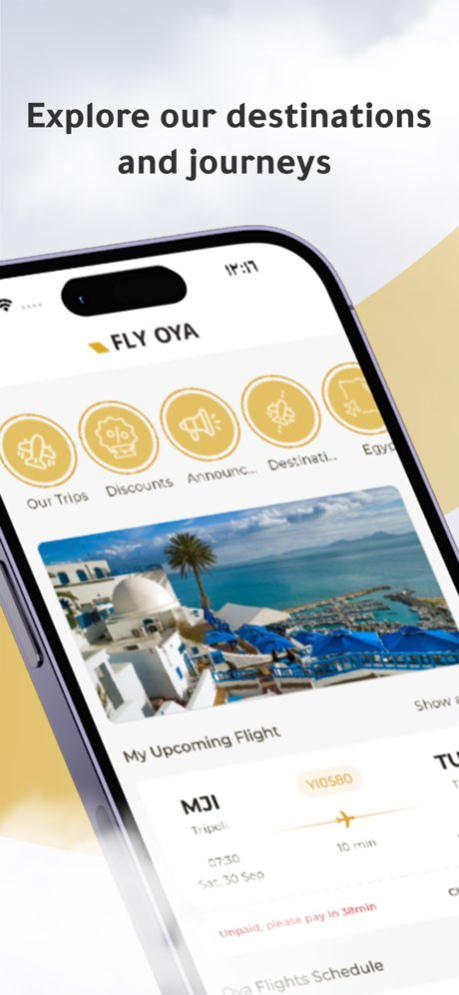


Book and manage your flight with ease, anywhere, anytime!
Seamlessly manage your flights, select the perfect seats, calculate baggage requirements, stay updated with flight schedules and more - all within the Fly Oya app.
Features:
- Effortless flight booking: one way, round trip, or multi-city.
- Pay instantly with multiple e-payment options.
- Explore destinations and flight schedules at your fingertips for convenient planning.
- Agent locator on a map for easy assistance.
- Flight management: seat selection, ticket printing, and more.
- Baggage calculator for each flight.
- Import your bookings into the app.
- Stay informed by following flight status.
- Get to know about upcoming flights and check destinations.
- Interactive stories feature for travel inspiration.
- Report lost baggage
- Receive notifications on your flights
Version History General improvements and fixes 1.0.6 09/27/2025 Fix the CCAvenue payment issue
General enhancements 1.0.5 07/31/2025 Add baggage connection service 1.0.4 09/09/2024 General fixes Enhancements 1.0.3 07/14/2024 General enhancements to the user experience 1.0.2 07/03/2024 1.0.1 07/01/2024
About FLY OYA
The company that develops FLY OYA is Libyan Spider IT. The latest version released by its developer is 1.0.6.
To install FLY OYA on your iOS device, just click the green Continue To App button above to start the installation process. The app is listed on our website since 2026-10-14 and was downloaded 0 times. We have already checked if the download link is safe, however for your own protection we recommend that you scan the downloaded app with your antivirus. Your antivirus may detect the FLY OYA as malware if the download link is broken.
How to install FLY OYA on your iOS device:
- Click on the Continue To App button on our website. This will redirect you to the App Store.
- Once the FLY OYA is shown in the iTunes listing of your iOS device, you can start its download and installation. Tap on the GET button to the right of the app to start downloading it.
- If you are not logged-in the iOS appstore app, you'll be prompted for your your Apple ID and/or password.
- After FLY OYA is downloaded, you'll see an INSTALL button to the right. Tap on it to start the actual installation of the iOS app.
- Once installation is finished you can tap on the OPEN button to start it. Its icon will also be added to your device home screen.
Program Details
System requirements
Download information
Pricing
Version History
version 1.0.6
posted on 2026-10-14
Version History General improvements and fixes 1.0.6 09/27/2025 Fix the CCAvenue payment issue
General enhancements 1.0.5 07/31/2025 Add baggage connection service 1.0.4 09/09/2024 General fixes Enhancements 1.0.3 07/14/2024 General enhancements to the user experience 1.0.2 07/03/2024 1.0.1 07/01/2024
